Latest Updates: ECU ISOBUS
6 Feb 2025
All latest updates have been applied to enhance user experience, improve safety during tests, and ensure better control over the system's calibration and operation.
Improvements
Here, we outline the various optimizations and refinements made to existing features. These changes are designed to improve performance, usability, and overall user satisfaction.
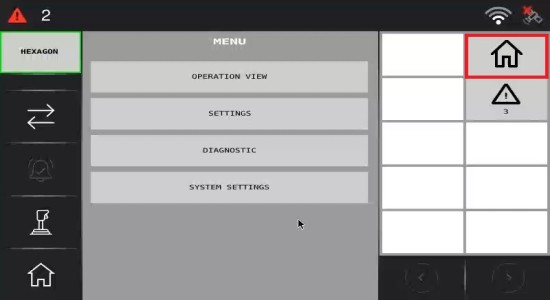
Home Button
Pressing the Home button in the upper right corner will now close all opened views, backing to the operation view.
Alarms Behavior
The Alarm acknowledgement button can now close the alarm notifications. This allows users to dismiss alarms more efficiently. Besides this, the alarm notifications now automatically closes when no active warning or error alarms remain.
User Interface Enhancements
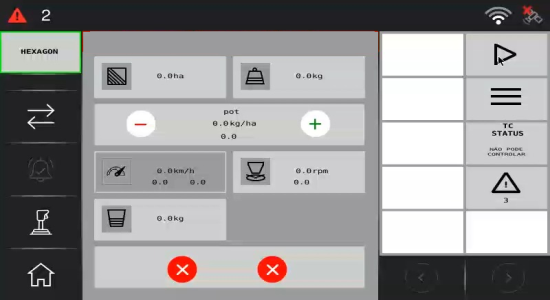
Text styling was adjusted for better readability, while new icons were introduced to improve navigation. Visual updates were made to clarify certain interface elements, and adjustments were made to improve the visibility of key buttons.
Calibration
Recent updates focused on improving the calibration process. The minimum calibration time has been set to 30 seconds, preventing shorter durations which may lead to inaccurate calibration.
Warning and Confirmation Prompts before Starting Application and Actuator Tests
A warning pop up will appear when the Play button is clicked, informing users that the system will begin moving. After the first user confirmation, this message will not reappear unless the system is disabled.
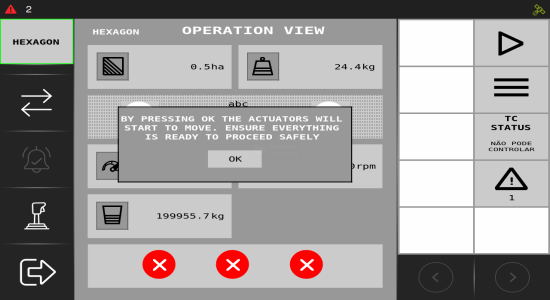
Additionally, a confirmation prompt will appear before starting actuator tests or calibration, ensuring users are fully aware of the actions taking place. These prompts serve as important reminders to confirm that users understand the operations they are about to initiate.
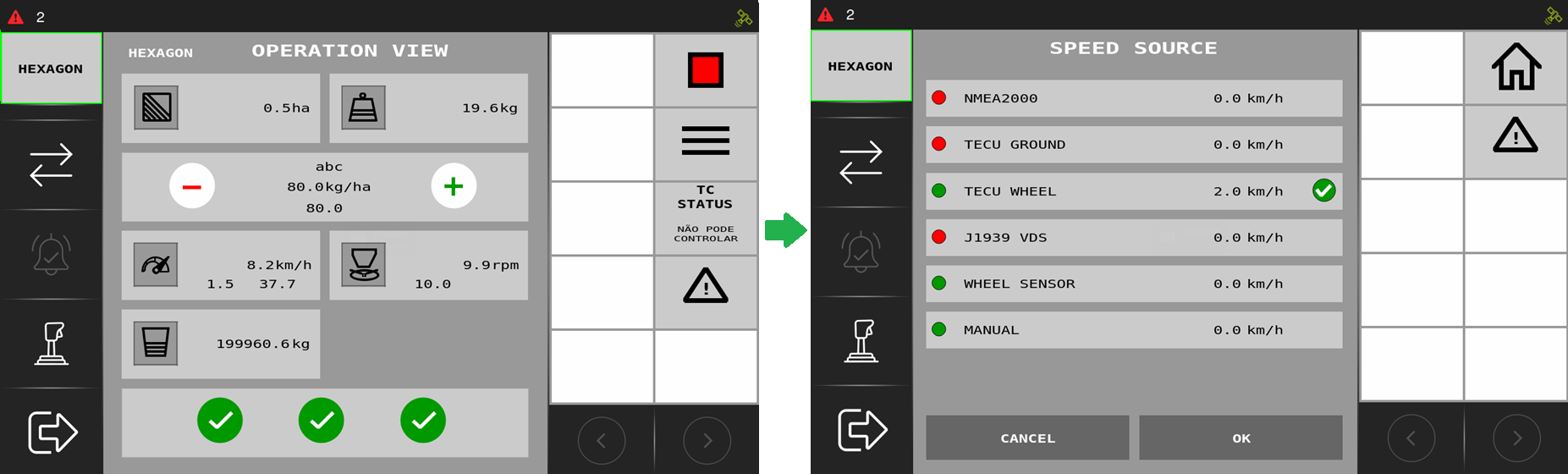
Speedometer Widget
Now it is possible to open the Speed Source view with the Open View widget, which means you can open the Speed Source configuration directly on the operation view.
Bug Fixes
This section addresses the issues identified in previous versions and details the fixes implemented. These corrections enhance system stability and ensure a smoother, more reliable operation.
Units in Tank View
Units displayed in the tank view are now correctly linked to the implement configuration, ensuring the proper units are shown.
Controller Calibration View When the Encoder Is not PPR
Fixed crash when opening calibration view for a configuration with a non-PPR encoder.